Walmart
Source Walmart
With Honest Math.
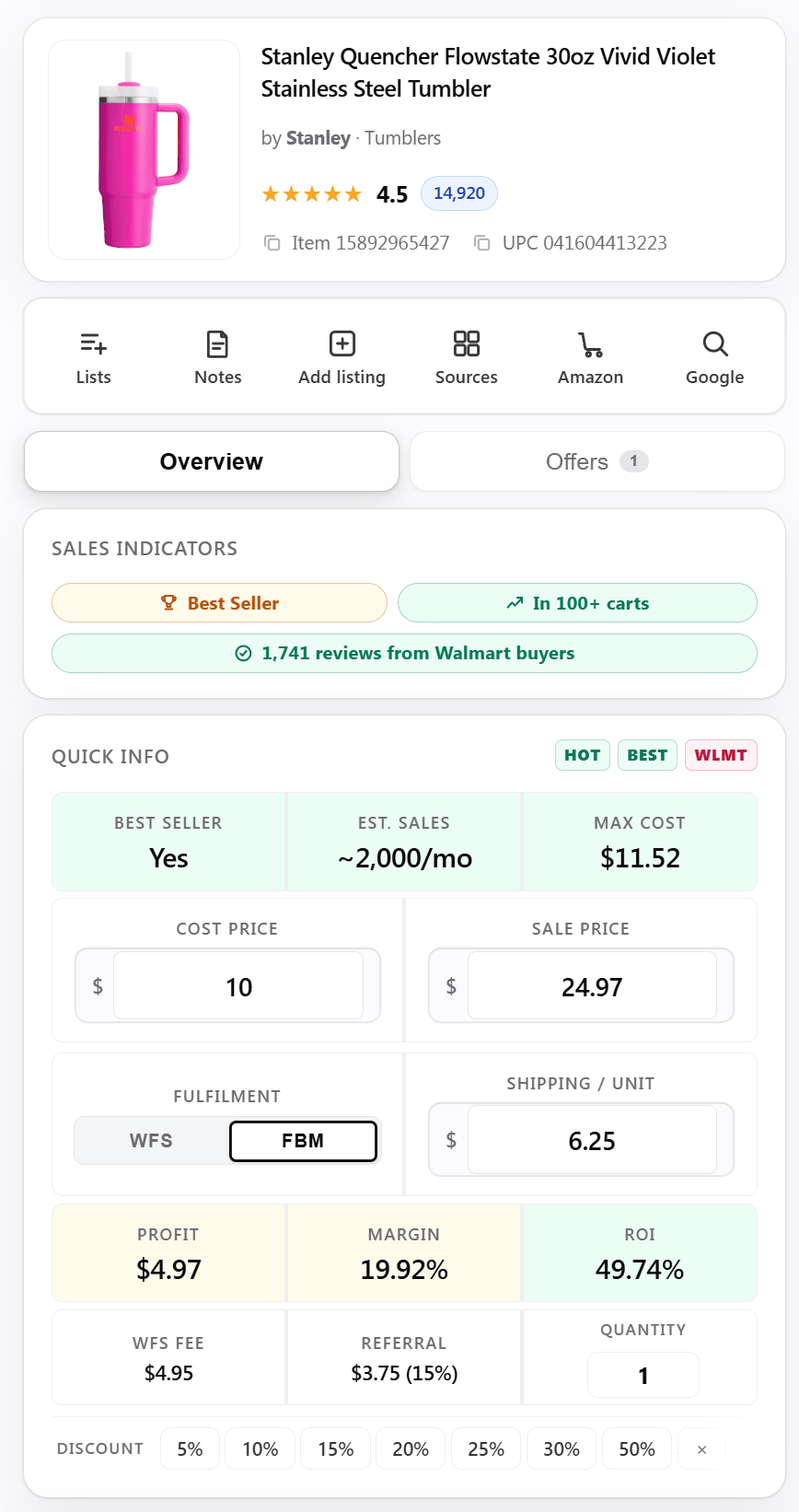
Estimated WFS and referral profit on any item, the demand signals Walmart actually shows, and a P&L from your own API key. Every fee number labelled Est.
Chrome extension
The Whole Walmart Listing,
Read In One Panel.
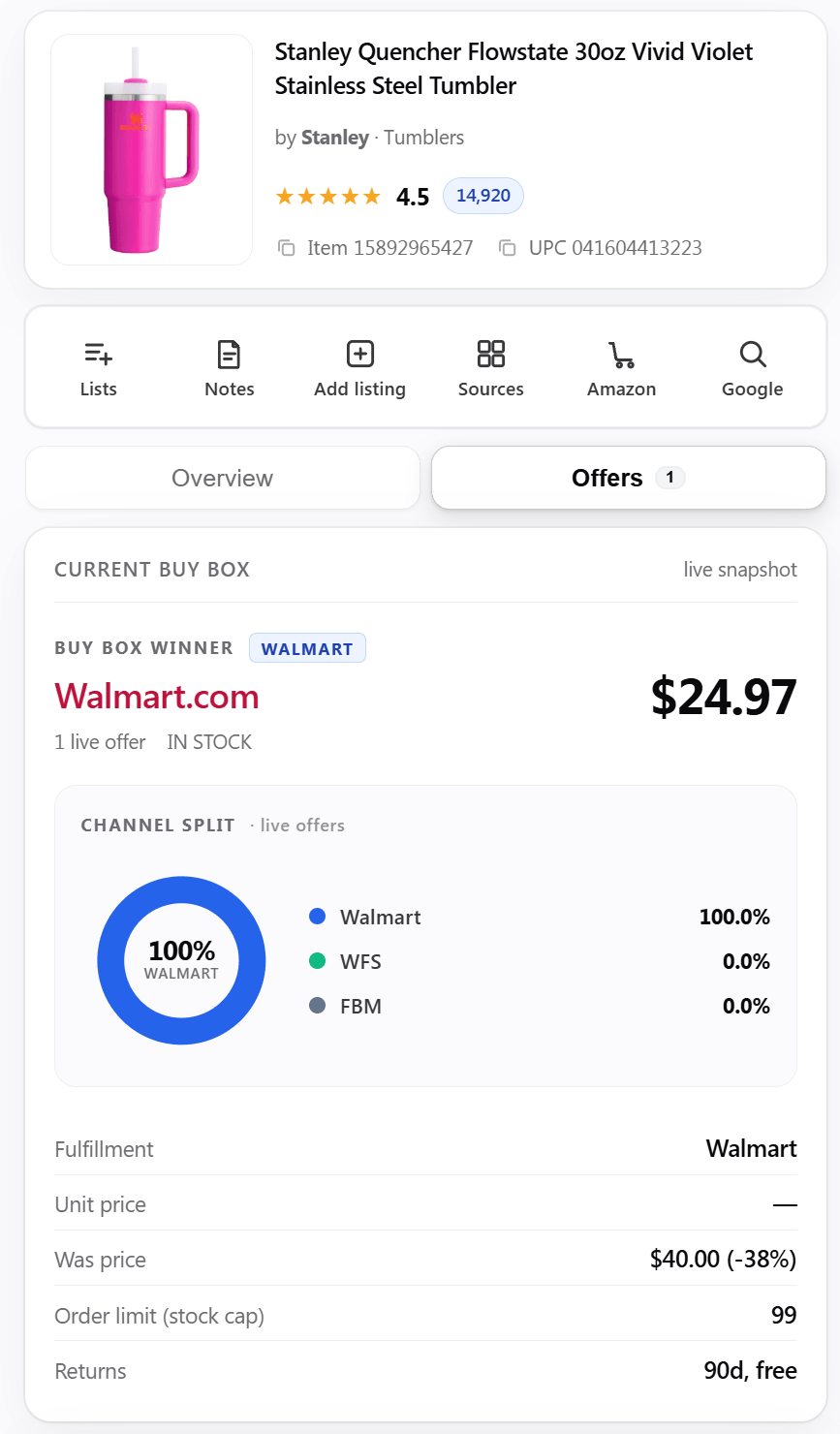
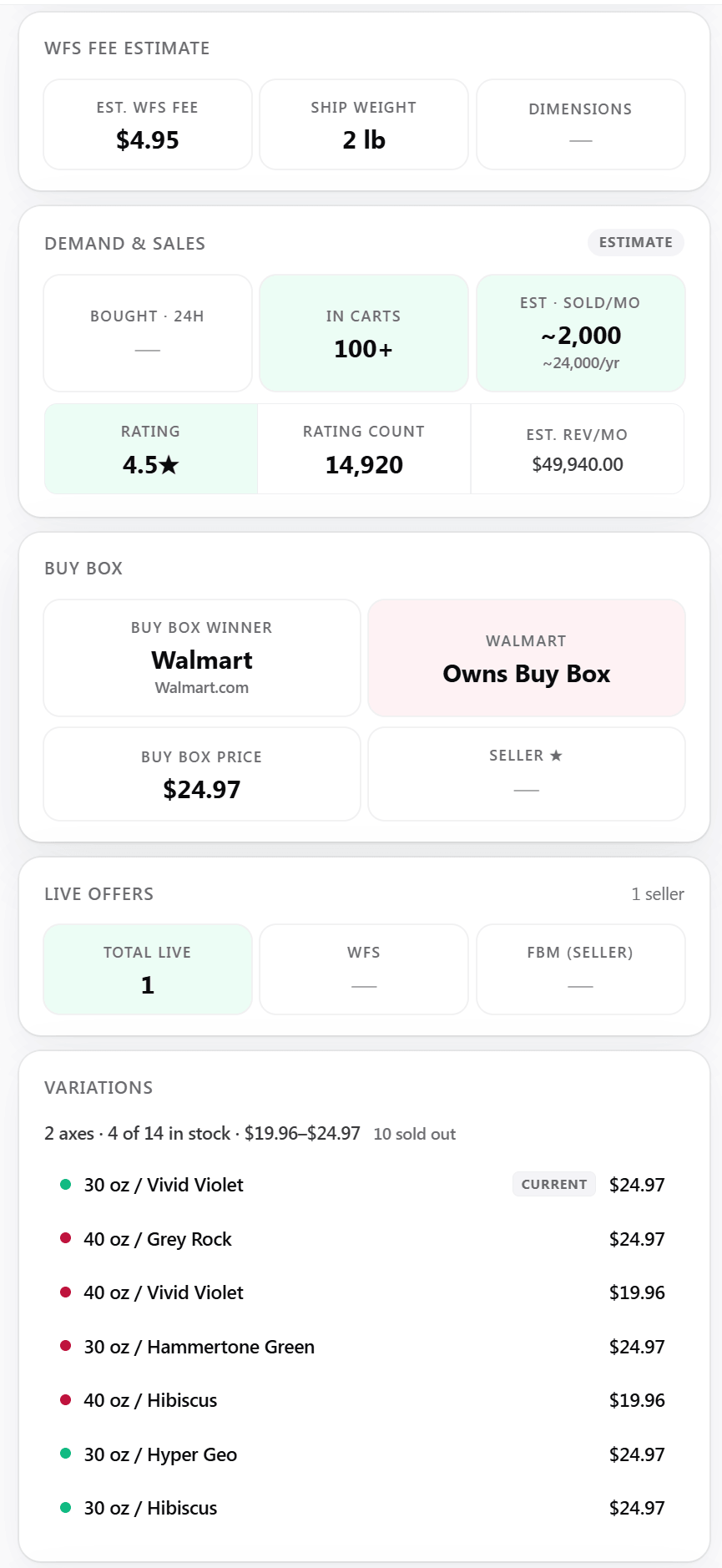
Open any walmart.com listing and UPC Metrics docks beside it. The estimated WFS and referral profit, the demand Walmart actually publishes and the live Buy Box — three tabs, one panel, every estimate labelled Est.
P&L
An Estimated P&L,
From Your Own Key.
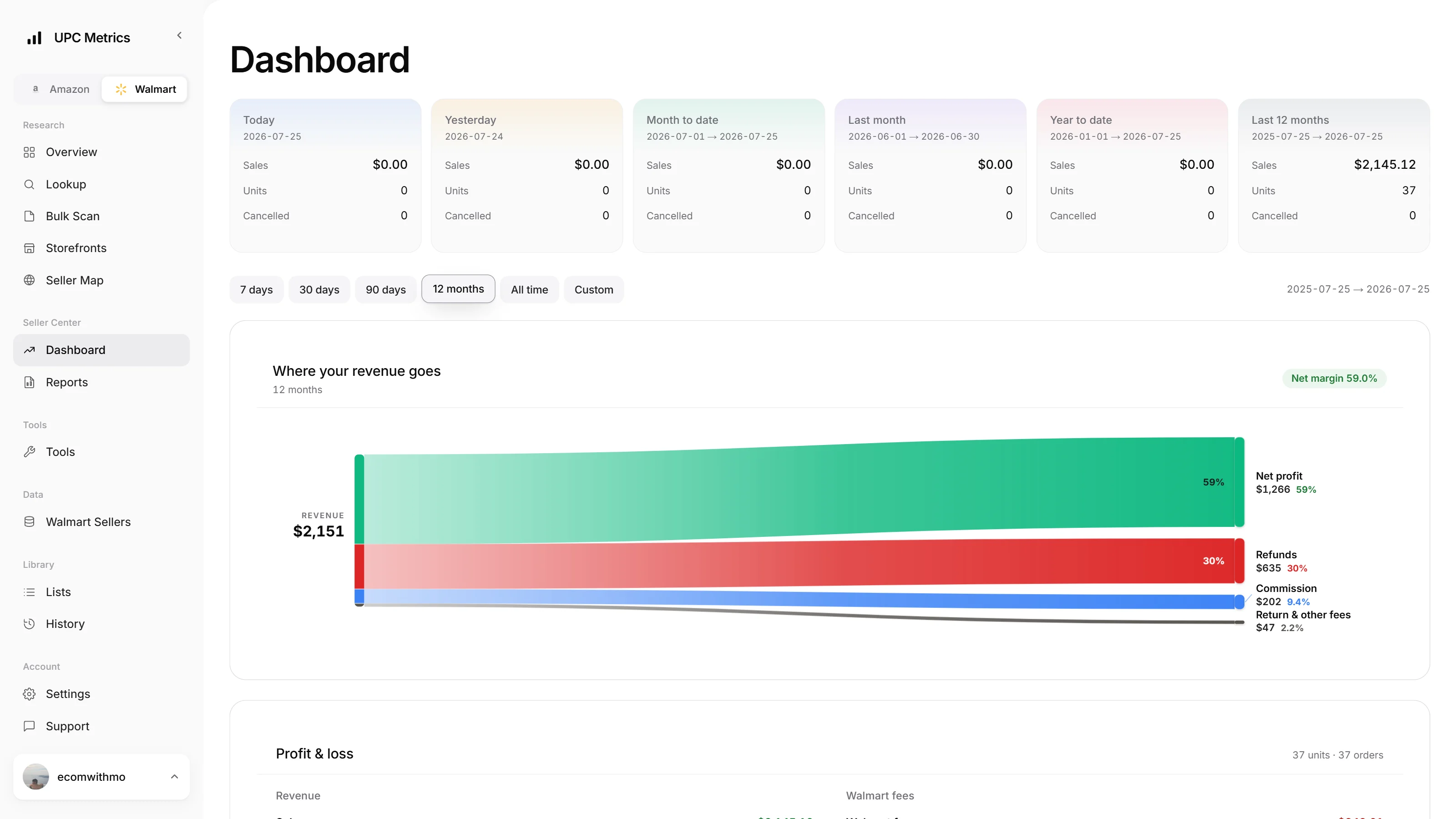
Connect your own Walmart seller API key to bring account orders into the dashboard. Revenue is based on your activity; estimated fee and net lines remain identified as estimates wherever Walmart does not return the needed amount.
- Your Orders. Revenue and order counts come from the seller account you connect.
- Revenue Flow. See net profit, refunds, commission and return or other fees separated visually.
- Date Windows. Move from today and month to date through the last 12 months.
- One Dashboard. Amazon and Walmart reporting sit one marketplace toggle apart.
Reports
Any Seller Center Report,
Generated On Request.
Request any of ten on-demand Seller Center reports. Catalog, inventory, Buy Box, performance, promotions, returns. Walmart generates the snapshot, the status polls to Ready, and the file stays downloadable for 30 days.
- Create. Ten report types, from the item and inventory catalogs to Buy Box, cancellations and delivery defects. Each one a fresh snapshot on request.
- Run. Walmart generates the file in roughly 15 to 45 minutes; the history keeps polling the status forward until it flips to Ready.
- Call. Download from history for 30 days after it generates, and re-request whenever you want the current snapshot instead.
- Reconciliation Files. Walmart’s settlement statements listed per payment cycle. The exact fees, refunds and payouts behind the estimates.
Bulk Scan
A Whole Supplier List,
One Upload.
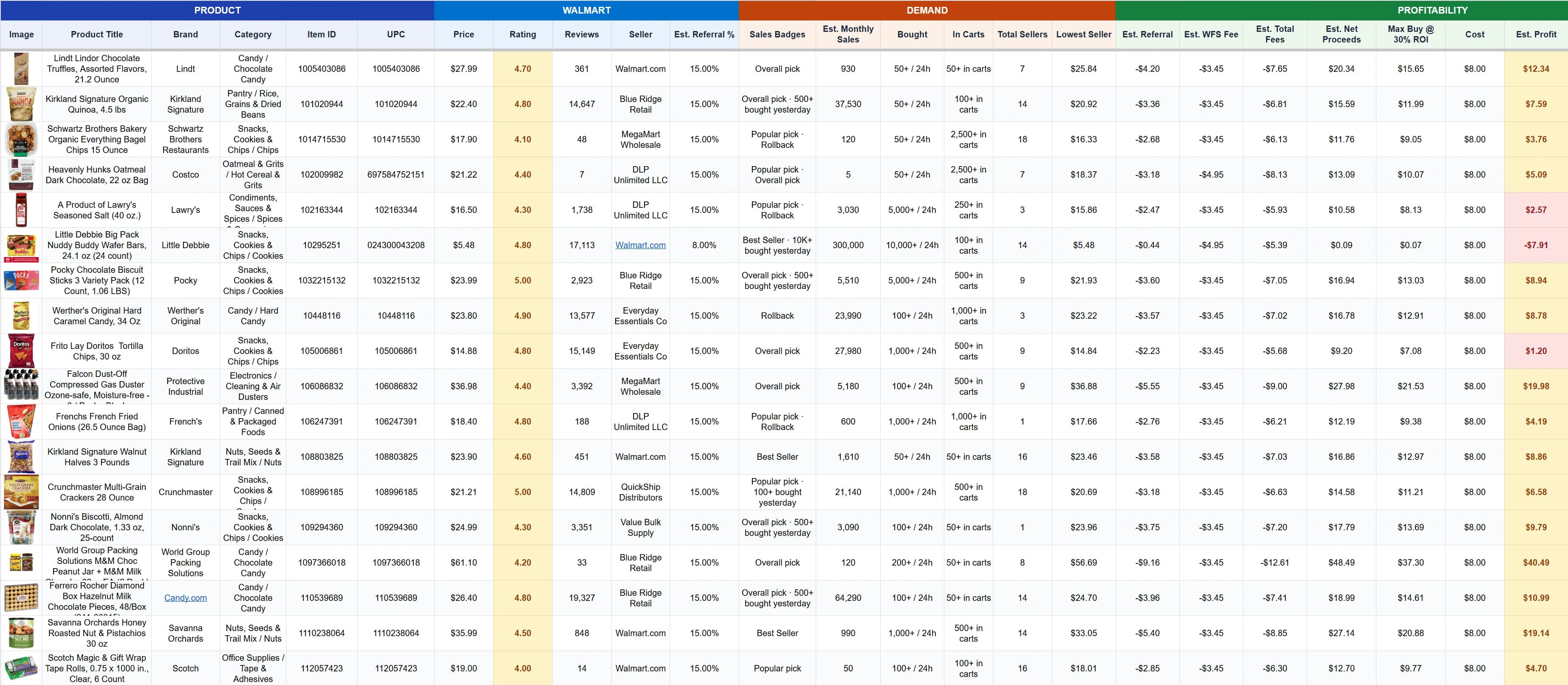
Start a four-step bulk scan by pasting rows or uploading CSV or Excel. Map identifiers and costs, choose the calculation settings, then review the matched Walmart results in one run.
- Flexible Input. Paste item IDs, UPCs, EANs or GTINs, or upload CSV and Excel.
- Column Mapping. Map cost, MSRP and any extra supplier columns before the scan runs.
- Calculation Settings. Apply the Walmart estimate model consistently across the whole sheet.
- Saved Runs. Name the sheet and reopen past bulk scans from History.
History
Every Item You View,
Lands In One History.
The Chrome extension on Walmart.com, the iPhone app and the web app all write to the same timestamped history. Search it by item ID, UPC or brand, and reopen any view with current numbers.
- Three Surfaces, One History. Open an item anywhere and it joins the same running list, timestamped and searchable.
- Never Stale. Reopen a view from months back and price, demand and rating read today, not the day you first saw it.
- One Row Per Item. Viewing an item again bumps it back to the front instead of stacking duplicates.
Filter by item ID, UPC, brand9,238views
Today
 Stanley Quencher 40oz+$13.9431% Margin
 Huggies Sensitive Wipes+$6.1628% Margin
 Elmer’s Washable Glue 12ct+$3.6229% Margin
 Zevo Flying Insect Trap+$7.3529% Margin
Earlier
 Owala FreeSip 24oz+$9.2931% Margin
 Euhomy Countertop Ice Maker+$26.1919% Margin
Storefronts
Stalk Any Seller’s
Entire Storefront.
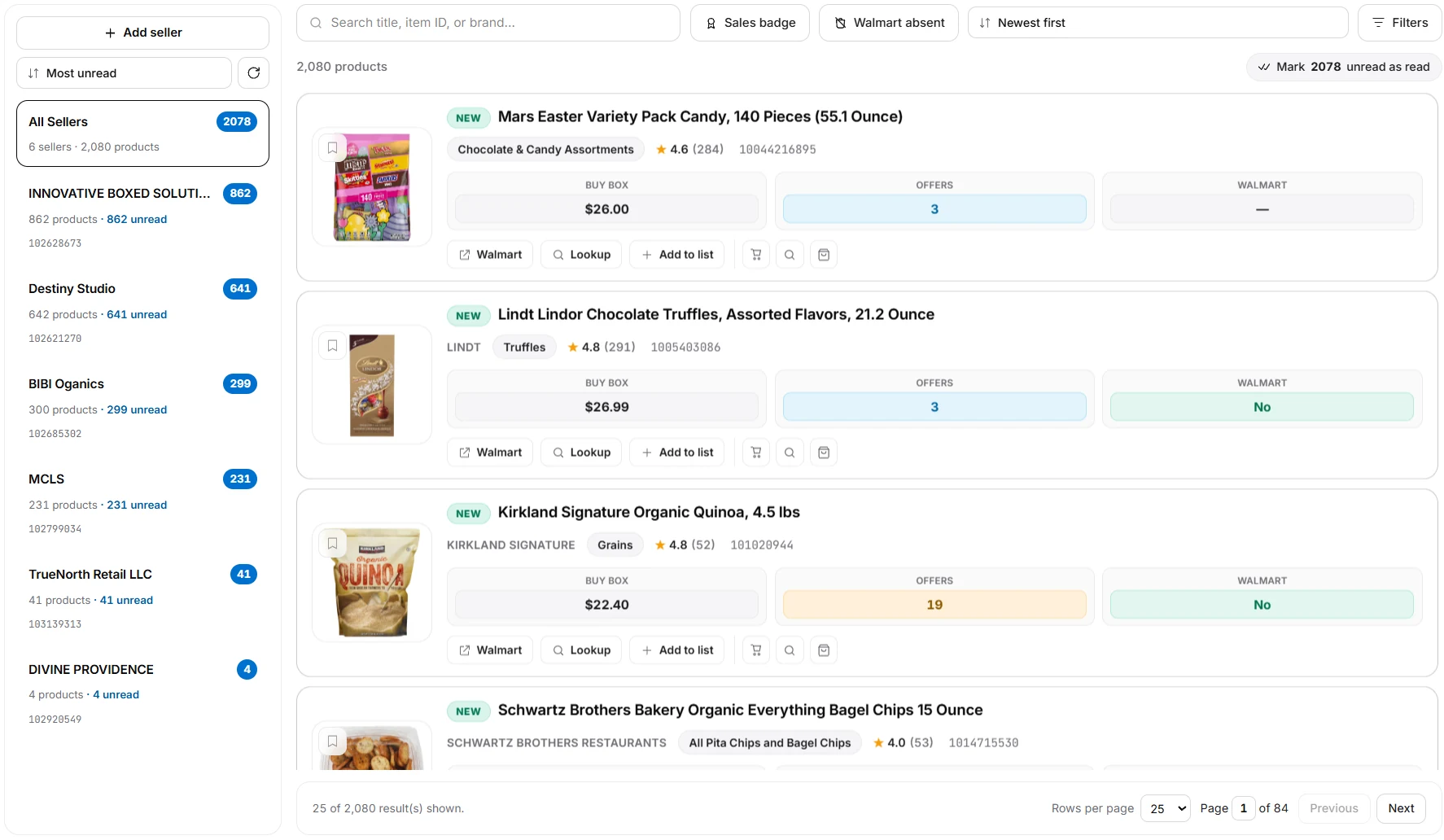
Add the Walmart sellers you want to watch and their catalogs combine into one newest-first feed. Search across everything they list, filter for the signals that matter, and keep unread listings separate until you review them.
- Seller-Level Tracking. Each seller keeps its catalog size, unread count and seller ID in the sidebar.
- Product Feed. Every row shows the product, Buy Box price, offer count and whether Walmart is on the listing.
- Useful Filters. Search by title, item ID or brand, use the sales-badge filter, or find products where Walmart is absent.
- Keep The Interesting Ones. Open the listing, run Lookup or save a product to a list from the row.
Live seller map
Every Walmart Seller,
Starting At Your City.
168,382 Walmart sellers plotted city by city on a live globe. It opens over your own location, marks the storefronts nearest you, then makes a slow lap of the planet’s selling hubs.
Same Engine, Pointed At Walmart.
Price any Walmart item, scan a whole list, and run an estimated P&L on your own key. 14-day free trial, cancel any time.